
FLAGMAN Casino deposits and payment timing in Poland
FLAGMAN Casino deposits start at 50 PLN on the Polish Visa, Mastercard and USDT TRC20 routes and at 40 PLN on Bitcoin. My Visa payment of 125 PLN reached the cash balance in two minutes with no charge on that transaction. The Casino Welcome offer has a separate 50 PLN threshold for a qualifying first deposit.
By Rafał Nowakowski · Published


| Item | Terms and observed results |
|---|---|
| Deposit methods | Cards, bank payment routes, wallets and crypto in the Polish profile |
| Payment and balance currencies | PLN to PLN in the Visa test |
| Minimum deposit | Visa, Mastercard and USDT TRC20 at 50 PLN. Bitcoin at 40 PLN |
| Operator charge | 0 PLN on the tested Visa payment |
| External charges | 0 PLN on the tested Visa payment |
| Time to balance | Two minutes from sending to credit in the Visa test |
| Confirmation and status | Check issuer or network confirmation, My Transactions and the cash balance |
| Payment instrument | Your own card, bank account or wallet |
| Crypto network | USDT on TRON (TRC20). The tested TRC20 transfer credited after 20 network confirmations |
| Casino Welcome threshold | First qualifying PLN deposit of at least 50 PLN |
| Deposit delay | Contact Live Chat with a transfer screenshot if the balance still shows no credit after an hour |
Pros
- Skip Bonus lets you fund the cash balance without selecting a welcome offer.
- My Transactions gives you a separate record to check against the payment confirmation.
- Deposit Limits lets you cap how much you add over a day, week or month.
Cons
- Card approval depends on the issuer, which can block or decline a payment.
- A currency conversion can add a markup to the exchange rate.
- The 40 PLN Bitcoin threshold falls below the 50 PLN Casino Welcome threshold for a PLN balance.
- Payments from a card, account or wallet registered to someone else are barred under the operator's terms.
Games at FLAGMAN Casino














FLAGMAN Casino deposits by method
Visa and Mastercard both start at 50 PLN on the Polish profile. USDT on TRC20 has the same threshold expressed in PLN, while Bitcoin starts at the equivalent of 40 PLN. The FLAGMAN Casino minimum deposit by method is set out below in PLN, the unit used for all four thresholds.
| Method | Payment route or account | Minimum |
|---|---|---|
| Visa | Card deposit to a PLN account | 50 PLN |
| Mastercard | Card deposit to a PLN account | 50 PLN |
| USDT | TRON (TRC20) | Equivalent of 50 PLN |
| Bitcoin | Bitcoin network | Equivalent of 40 PLN |
When you select a token in Deposit and enter the amount in fiat, the crypto converter shows the token amount and updates its rate every few minutes, so check the updated amount against the PLN threshold and confirm the network before authorising the transfer.
I recorded 104 funding-related entries for the Polish profile across cards, banks, gateways, wallets, assets and currencies. Visa, Mastercard, Przelewy24 and Apple Pay illustrate the different types of entry. The options in your signed-in cashier depend on the account and route. The payment methods guide explains what the Polish lists cover.
Card and BLIK limits
The maximum for a specific payment is the amount permitted in the active Deposit form. The Polish publication Kasynogracz lists the following amounts and charges for these funding methods. Use the figures as a comparison when deciding which route to check in the cashier.
| Method | Minimum | Maximum | Fee listed |
|---|---|---|---|
| Visa | 50 PLN | 4,000 PLN | 0% |
| Mastercard | 50 PLN | 4,000 PLN | 0% |
| BLIK | 50 PLN | 1,000 PLN | 0% |
If you have set a personal Deposit Limit, check the cap for the day, week or month in Limits and compare it with the deposits for that period in My Transactions before making another payment.
How the deposit form works
The Deposit button opens the form. The steps below describe the cashier for a signed-in profile eligible to make the transaction. Use of the cashier is subject to applicable age, territorial and account restrictions under the operator's terms.
Steps to make a deposit
- Open Deposit and select your balance. Check the currency on the active account before picking a method. The balance switcher lets you change the active account or add one in another currency. For a deposit intended for the PLN cash balance, check for PLN in the balance selector and on the deposit screen.
- Choose a payment instrument registered in your name. Select an available card, bank route or wallet. The operator accepts electronic payments and requires the instrument to belong to the account holder. If you use a card, have the issuer's confirmation method ready.
- Enter the amount and check the cost. Look at the route's minimum and maximum, the payment currency and what the cashier expects to credit. Compare the amount that will leave your card or wallet with the amount that will reach the balance. Where a conversion applies, check the rate in Deposit before proceeding. The terms allow a markup on top of Open Exchange Rates for some currency exchanges.
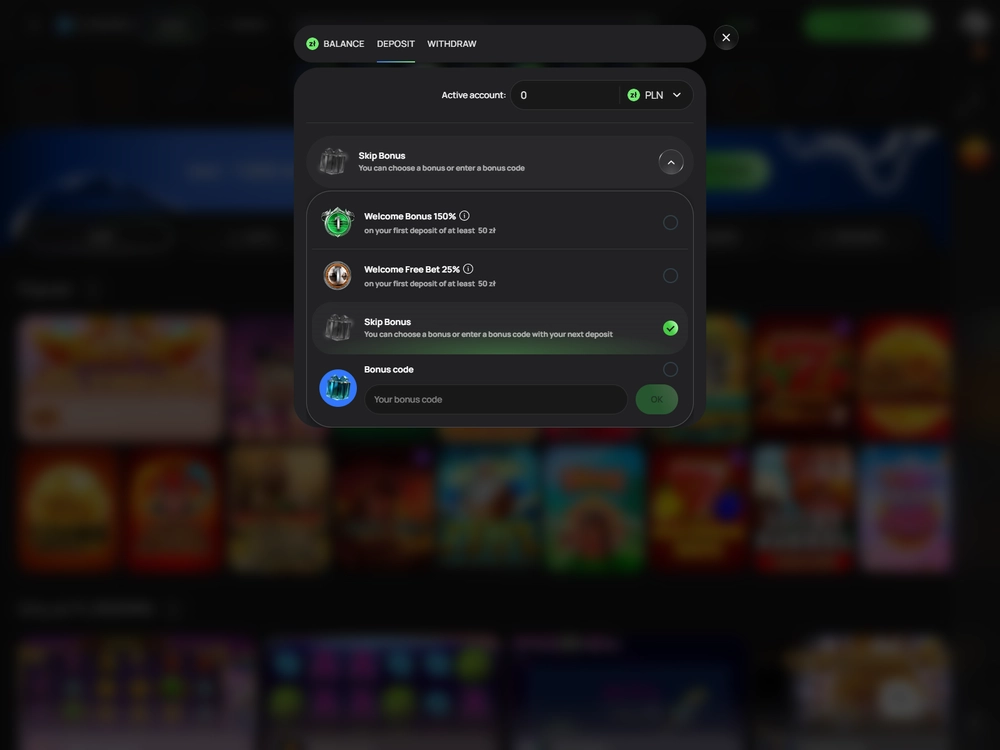
- Check the offer selection. The form shows Welcome Bonus, Welcome Free Bet, a box for a bonus code and Skip Bonus. Choose the offer only after checking which balance it affects and whether your deposit meets its terms. Select Skip Bonus if you want the payment to go through without taking a welcome offer.
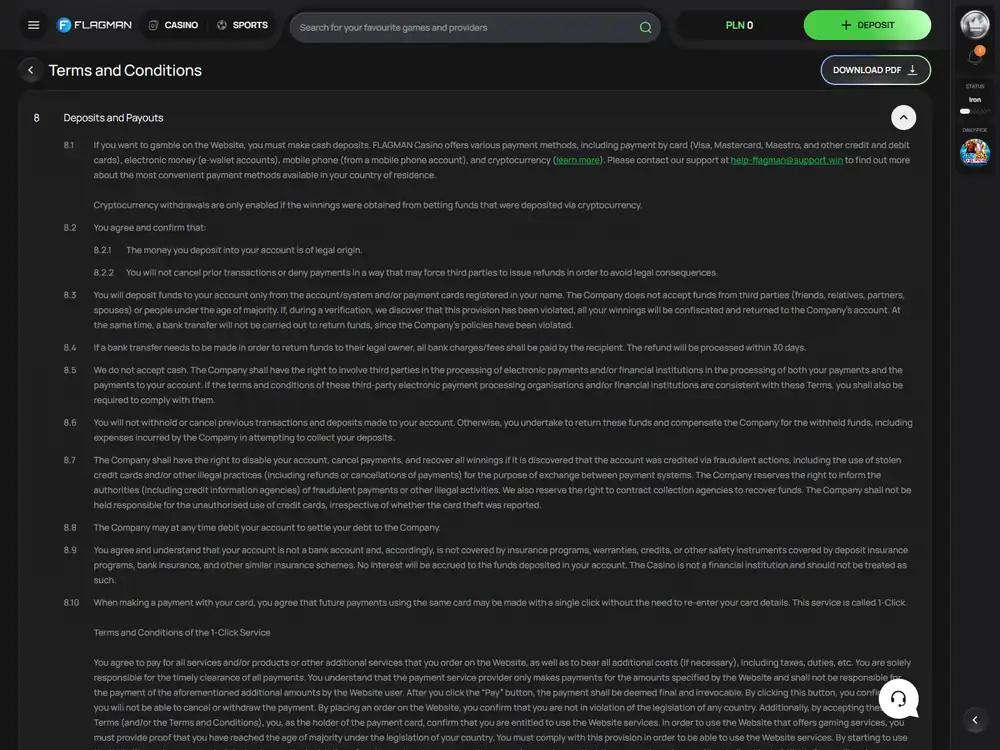
- Follow the payment instructions in the current session. Confirm with the issuer or provider as directed. With 1-Click, a payment made by clicking Pay is final and cannot be cancelled under the operator's terms. For a transfer that presents payment details, use those shown for the current request. If a session expires, check the earlier attempt in History and with the provider before creating a fresh request.
- Check the credit in History. Go to My Transactions and match the status, amount and currency with your payment record. Then check the cash balance for the same account. If you chose a qualifying offer, check the bonus balance separately.
Card approval and account checks
Your issuer can decline an otherwise eligible card payment. Check the approval message before entering another payment. If the terms' 1-Click option applies to a later payment with the same card, the cashier can reuse the card details. Check the amount and balance currency before using it.
The terms allow the operator to require account verification at any time. The terms also allow the operator to check your identity when total deposits exceed 9,000 PLN and to request proof of the source of funds when they exceed 40,000 PLN. These thresholds concern account checks. The amount you can submit in a particular payment comes from the chosen method and any applicable account limits.
The terms also describe how funds are held. Your cash balance is a balance on a gaming account. It earns no interest and sits outside bank deposit insurance. Treat the amount you transfer as money for play and set your deposit limit before funding the account.
When a deposit qualifies for Casino Welcome
For a PLN balance, Casino Welcome requires a first qualifying deposit of at least 50 PLN. A Bitcoin payment worth 40 PLN can meet the route minimum. It falls short of the PLN offer threshold. Check the offer card for the balance you intend to fund.
I made a first minimum deposit in the Polish profile. Casino Welcome activated and credited the bonus automatically once the deposit reached the balance. The offer pays 150% up to 1,500 PLN, with a ×45 wagering requirement and a maximum win of ×10 the bonus. The offer works without a promo code on this route.
At the offer threshold, 50 PLN at 150% works out to 75 PLN in bonus funds before wagering. Keep the deposit and bonus amounts separate when you check what credited. The other welcome choice in the form is a sports free bet of 25% up to 500 PLN on a first qualifying deposit of at least 50 PLN. The bonus terms guide explains the individual offer rules.
From sending a deposit to the cash balance
My Visa deposit reached the PLN cash balance two minutes after I sent it.
Visa payment steps and fees
I chose Visa in Deposit, entered 125 PLN, selected Skip Bonus and confirmed the payment with the Polish issuer. The card and account were in my name. The payment moved from created to processing and then to credited.
The card was debited 125 PLN and the account received 125 PLN. The operator, bank, network and intermediary each charged 0 PLN on that payment. Both amounts were in PLN, so the payment involved no currency conversion.
USDT TRC20 confirmations and fees
In a separate Polish account with a USDT balance, I sent 20 USDT on TRON (TRC20). The balance received 20 USDT after 20 network confirmations. My wallet charged 0.84 USDT on top, taking the total debit to 20.84 USDT. The operator and recipient each charged 0 USDT on that transfer, and there was no currency conversion. That illustrates why the amount the cashier credits and the total amount spent can differ even when the account and payment use the same asset. When you compare FLAGMAN Casino deposits, use the total debit and the actual credit for each payment.
What to do if the balance hasn't changed
Check My Transactions before making another deposit. A bank approval or a network confirmation tells you what happened on the payment side. In the cashier, a processing entry is still pending. Open the balance for the currency you selected and look for the completed credit.
- The payment is processing. Match the time, amount and currency to your own payment record. Keep the transaction reference so you can identify the same attempt in the provider's history.
- The issuer declined it. Check the exact bank message and whether the bank shows a debit. If a new payment is appropriate, start it from the cashier and follow the current request's details.
- You have a debit and the deposit is missing. Keep the provider's confirmation and check which of your accounts should receive it. If a crypto transfer has a network reference, have it ready alongside the cashier reference.
The operator's FAQ says the balance usually updates within seconds once processing is complete. If the deposit still isn't visible an hour after you made it, contact Live Chat with a screenshot of the transfer. Include the amount, currency, time and transaction reference so support can identify the payment. Keep full card numbers and payment credentials out of the screenshot.
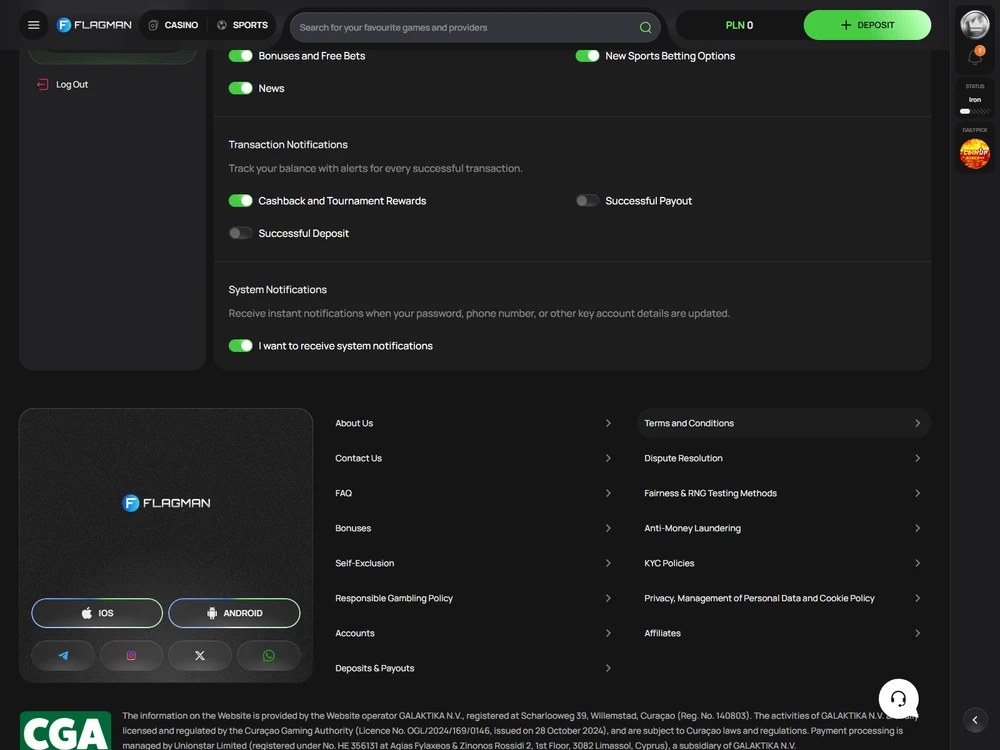
If you have enabled Transaction Notifications, a successful deposit can also appear in the notification centre. On Android I saw the notice in the system tray after granting notification permission. The transaction record remained in History with those phone notifications turned off.
What to check before choosing a route
For the route you choose in the cashier, check the balance currency, the minimum amount, the total debit and your personal deposit limit, then use My Transactions and the cash balance to verify the credit.
For a deposit using Bitcoin or USDT, see how crypto deposits handle networks and confirmations.
FAQ
Can I deposit with a family member's card?
Use a card registered in your own name. The operator applies the same ownership requirement to a bank account or a wallet used to fund the account. Under its terms, the operator confiscates winnings if it finds during verification that you used someone else's payment instrument.
Can the cashier accept my amount if I've reached my daily Deposit Limit?
Once you reach your daily limit, it blocks further deposits for that period even if the amount fits the payment method's range. Open Limits to check your cap and My Transactions to check your deposits for the day.
Can I use an expired payment request to try again?
Check the earlier request in My Transactions and with your payment provider. If the request expired without a payment, open a fresh session in Deposit and use the new request's details. If the earlier attempt shows a debit or is still processing, resolve that attempt before sending more money.