
FLAGMAN Casino registration and email confirmation for accounts in Poland
FLAGMAN Casino registration in Poland lets you choose the country and currency. The form offers email and password, Google or Telegram. You must be at least 18 and meet any higher applicable age requirement. On the email route, you finish registration through a link sent to your inbox.
By Rafał Nowakowski · Published


| Item | Details |
|---|---|
| Minimum age | 18 or the higher applicable age. The operator can ask for proof of age. |
| Country and eligibility | The form has a Poland profile. The operator applies restrictions based on where you are located or reside. Local law also applies. |
| Registration options | Email and password, Google or Telegram in the Polish form |
| Email route | Three stages: complete the form, submit it and confirm your address through the email link |
| Required fields and confirmations | Email, password, country, currency, confirmation of age, and acceptance of the terms and privacy and personal data policies |
| Account currency | You can select PLN in the Polish sign-up form. The Polish account configuration includes PLN, EUR, USDT, BTC and ETH. |
| Email confirmation | Follow the link in the registration email. |
| Account limit | One account per player, household, email address or IP address under the terms |
| Identity verification | A separate check after account creation. It may be requested by the operator and is required for withdrawals. |
| Time to confirm email | 146 seconds from the start of the Polish email form to email confirmation in the author’s test |
| Activation code | A separate field for a registration code. The email route can be completed with the field blank. |
Pros
- The Polish form offers three routes, including email and password if you prefer to set up your account without a social login.
- You can select PLN on the registration form.
- The email route can be completed with both the activation code and promotional offers fields blank.
Cons
- Completing the email route depends on getting the message and opening its link.
- People sharing a household or an internet connection need to take account of the operator’s one-account rule.
- Further profile details and identity checks can be required after the initial form is complete.
Games at FLAGMAN Casino














Who can register from Poland
The operator requires users to be at least 18 or to meet a higher age threshold where applicable. The age box also records acceptance of the terms and privacy and personal data policies. The operator can ask for proof of age later. It can suspend an account or refuse service if the requested proof of age is missing.
The Poland option and the PLN account setting describe the form you can use to enter your details. For real-money play, the operator requires an account and a deposit, subject to the rules that apply to you. The operator’s terms bar account opening, deposits and real-money bets from specified locations or places of residence. If you break that rule and give misleading information about your location, the terms say all your deposits and withdrawals are void. Polish law applies separately. The licence identified in the operator’s terms is for Curaçao.
If your immediate aim is to try a slot with a demo mode, the operator’s FAQ says those demos are available without an account. Check eligibility separately before using the cashier or trying to play for money. Game providers can apply their own restrictions to individual titles.
FLAGMAN Casino registration by email
The email route uses an address you can open and a password you create in the form. Here is how to create a FLAGMAN Casino account with the Poland and PLN settings.
How to fill in and submit the form
- Open Sign up in the upper-right corner of the operator’s site.
- Enter your email address and create a password. Follow the password guidance in the form. Check the spelling of the email address before you continue.
- Select your actual country and choose PLN if you want to use Polish złoty. For the Polish route, the country selection is Poland.
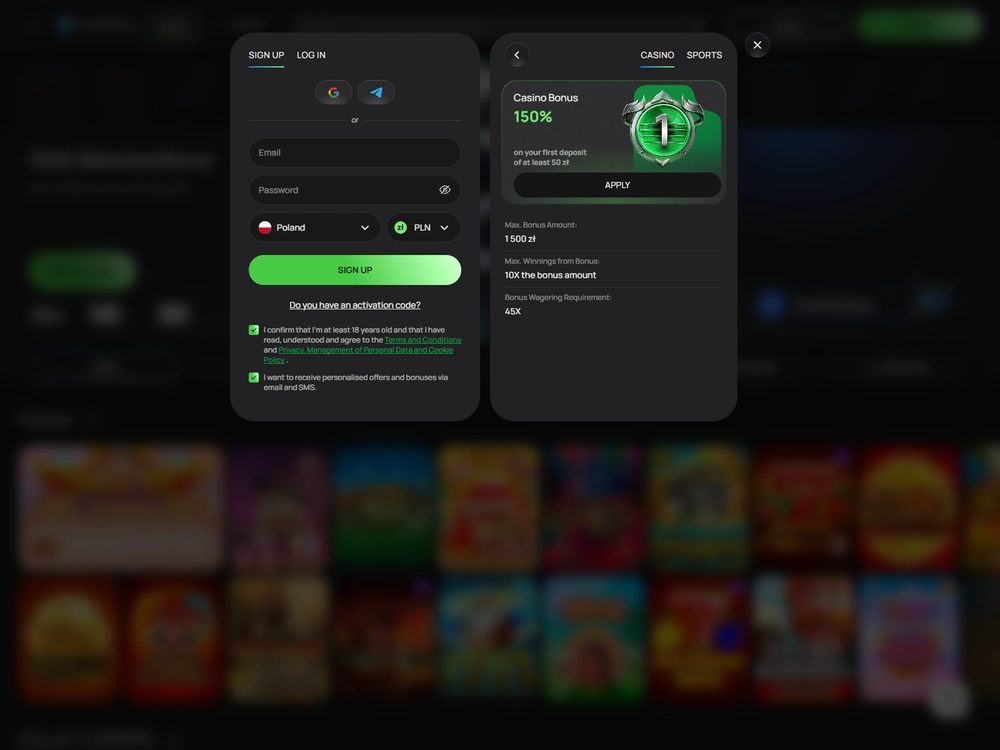
- Review the Activation code field and the separate option for promotional offers by email and SMS. Enter a code only if it applies to a registration offer you intend to use.
- Read the terms and privacy and personal data policies. Confirm that you meet the age requirement and accept the applicable terms, then select Sign up to submit the form.
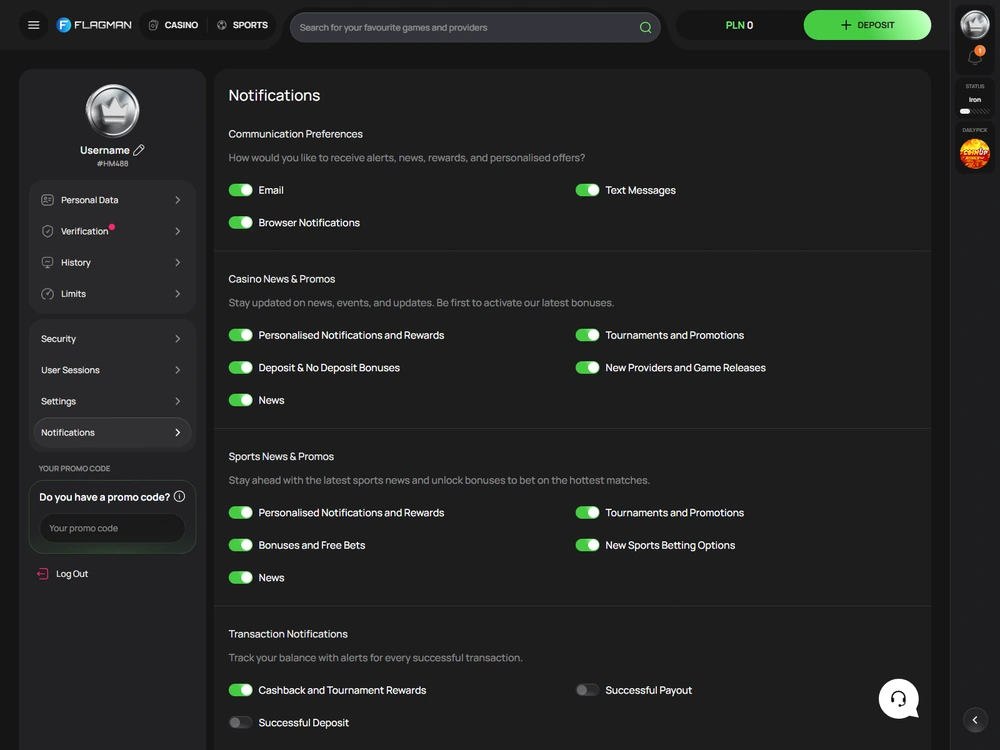
- Open the registration email and follow the confirmation link. The email address can then appear as Verified under Personal Data.
Required confirmations and promotional messages
Before submitting your FLAGMAN Casino registration, check which box covers your age and the site policies. The field for personalised offers applies to email and SMS promotions. The operator’s FAQ asks you to confirm consent to personal offers. The terms separately say that by signing up you agree to receive advertising and informational messages by email and SMS, and that you can unsubscribe in your account.
I completed the email route on a Samsung Galaxy S26+ with Android 16 and One UI 8.5 using Poland and PLN, leaving the activation code blank and the promotional offers box unselected. It took 146 seconds from starting to fill in the form to confirming my email through the link.
Follow the password hints in the form. The password I used had at least 12 characters, with upper- and lower-case letters, a digit and a special character.
If the confirmation email is missing
Check your spam or junk folder first. Then verify the address you entered, including the part after the @ sign. If you mistyped the address or still cannot find the message, contact the operator at [email protected] and ask for help with the original registration. The FAQ also suggests adding the operator’s email address to your contacts for future service messages.
Google, Telegram and the phone route
Google and Telegram are alternative ways into the registration process from the Polish form. Select the service you want to use, sign in to that account and follow the prompts on screen. The operator’s instructions give this general sequence. The timed email route used a password entered directly in the form.
The FAQ describes phone registration for Russia, Ukraine and Kazakhstan. Kazakhstan is on the operator’s list of restricted territories, so the description of a phone option should be read alongside the terms on location and residence. I completed the initial Polish email form with my email, password, country, currency and the required confirmations. I entered a phone number later, when preparing the full profile for a withdrawal. Identity documents are handled through the separate verification process.
What happens after you submit the form
After you confirm your email, the platform may ask you to fill in your city, address and postal code. If the form requests your name, enter your current legal name as required by the terms. The terms require accurate, complete information and prompt updates when any details change. The operator can restrict or close the account or withhold transactions, including bonuses and winnings, if you fail to keep those details accurate and current.
| Stage | What you do | What the stage establishes |
|---|---|---|
| Submit the form | Provide the initial details and required confirmations. | The email route can proceed to contact confirmation. |
| Confirm the email | Follow the link sent to the address you entered. | You can access that inbox. |
| Complete Personal Data | Fill in requested information, such as your city, address and postal code, and add a valid phone number where required. | The operator has the additional profile information it requests. |
| Complete identity verification | Follow a separate verification request when the operator requires it. | The operator checks identity and, where applicable, payment details. |
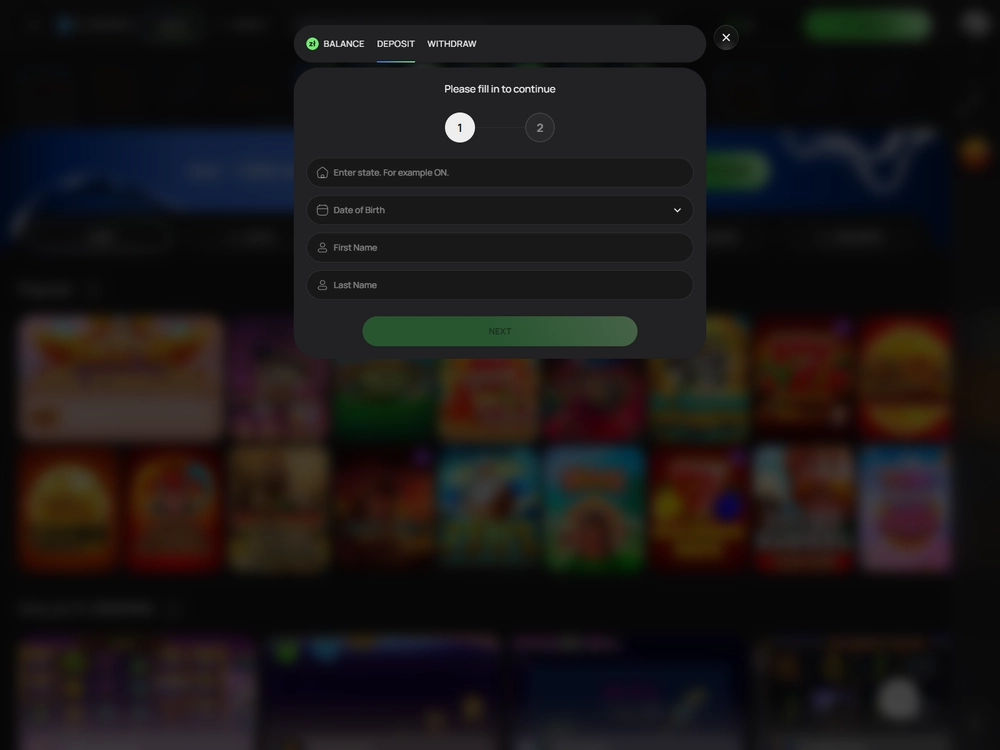
For withdrawals, the terms require a confirmed email and a complete profile with at least one valid phone number. The operator’s FAQ lists verifying your current phone number in your account and providing proof of identity as separate steps. Check the status of the email address under Personal Data, then look in Verification for any separate requests.
When the operator treats an account as a duplicate
The one-account rule covers the player, household, email address and IP address. Use your existing account if you have one, including if you have lost access and need help. A registration under a different email address still falls under the same player and household limits.
The terms allow the operator to close duplicate accounts immediately. Transactions on a duplicate account are void. The operator decides whether to return bets or deposits and can reclaim refunds, winnings or bonuses from the duplicate. In those cases, you must return any funds already withdrawn from it. If someone in your household already has an account or you share an internet connection with another account holder, ask support how the rule applies before opening another account.
Changing your account currency
Use the active-account selector to move between existing currency accounts. You can also add a separate account in another currency from the account area. The Polish account configuration includes PLN, EUR, USDT, BTC and ETH. To change the currency you chose at sign-up, the FAQ directs you to contact support. If PLN is the currency you want for the account you are opening, review that field before you submit the form.
Welcome offers and the next account step
The Activation code on the registration form is for offers that use a sign-up code. A welcome offer tied to a first qualifying deposit has separate eligibility conditions. In the Polish cashier, the choices include Welcome Bonus, Welcome Free Bet, a code entry and Skip Bonus. Skipping the offers leaves you free to continue without selecting one on that screen.
In a separate Polish PLN test, my Welcome Bonus was credited automatically after I made my first qualifying deposit. The Polish offer has a 50 PLN minimum for eligible profiles. The offer applied without a code in my test. See welcome offers and their conditions for the terms that apply to each choice.
The next step after confirming your email is to check your profile for any additional information requests. If you need to understand what the operator checks, go to Identity Verification for the separate process.
Frequently asked questions
Can I finish FLAGMAN Casino registration without an activation code?
Yes. I completed the Polish email route with the code field blank. A particular promotion can still ask for its own code, so check its conditions if you want to claim it.
Where can I stop promotional emails and texts?
The operator’s terms say you can unsubscribe through your personal account. The email you use to confirm registration has a separate purpose, which is to verify that you can access the inbox.
What if my phone number changes after registration?
The operator’s FAQ directs you to the on-site live chat to update the number. Verify your current phone number separately in your account when completing account verification.
Can I use a family member’s account?
The terms restrict each account to its owner. They also set a one-account limit per player, household, email address or IP address. Ask support how the rule applies to your circumstances before creating an account on a shared connection.
Does the email link also verify my identity?
The link confirms access to your email address. If the operator requests identity verification, complete that separate check through the account’s Verification area.