
FLAGMAN Casino Login and Password Recovery for Your Account
The FLAGMAN Casino login in Poland uses your registered email and password. Complete reCAPTCHA when prompted. If you forget the password, request a reset through the contact you registered. You can add a Google Authenticator check in Security and manage signed-in devices individually in User Sessions.
By Rafał Nowakowski · Published

| What to check | What you’ll find |
|---|---|
| Sign-in routes | Log in in the browser, sign-in through the mobile app or WebView, and Autologin links in emails if you enable them |
| Sign-in details | The registered email address and password on the Polish route |
| Devices | Browser on a computer or phone. Confirmed mobile routes include Android APK 1.1 on Samsung Galaxy S26+ and iOS WebView 7.32 on Apple iPhone 17 |
| Sign-in checks | reCAPTCHA on the form and a Google Authenticator code when two-factor authentication is enabled |
| Password recovery | Log in → Forgot your password? → enter your registered contact → Get a password |
| Reset delivery | Instructions go to the email address or phone number you registered. The Polish recovery test used email |
| Account records | The same account carries your profile, balances, history and session records across sign-in routes |
| Reasons you may be stopped | Incorrect credentials, a pending additional check or an account suspension |
| Help with access | Live Chat / Online Assistance on the operator’s site or email the operator’s support team |
Pros
- You can reset the password yourself while you still have access to the registered contact.
- Google Authenticator adds a code check you can set up in Security.
- User Sessions lets you end one selected session.
- In a test with the same account on desktop and Android, the balance and activity matched after refreshing the account on each device.
Cons
- Losing access to your registered email or phone takes recovery to support for identity checks.
- After eight incorrect sign-in attempts, the tested security profile imposed a 12-minute pause.
- In the tested multi-session setup, signing out on desktop left the phone signed in until its session was ended separately.
Games at FLAGMAN Casino














FLAGMAN Casino Login on Web and Mobile
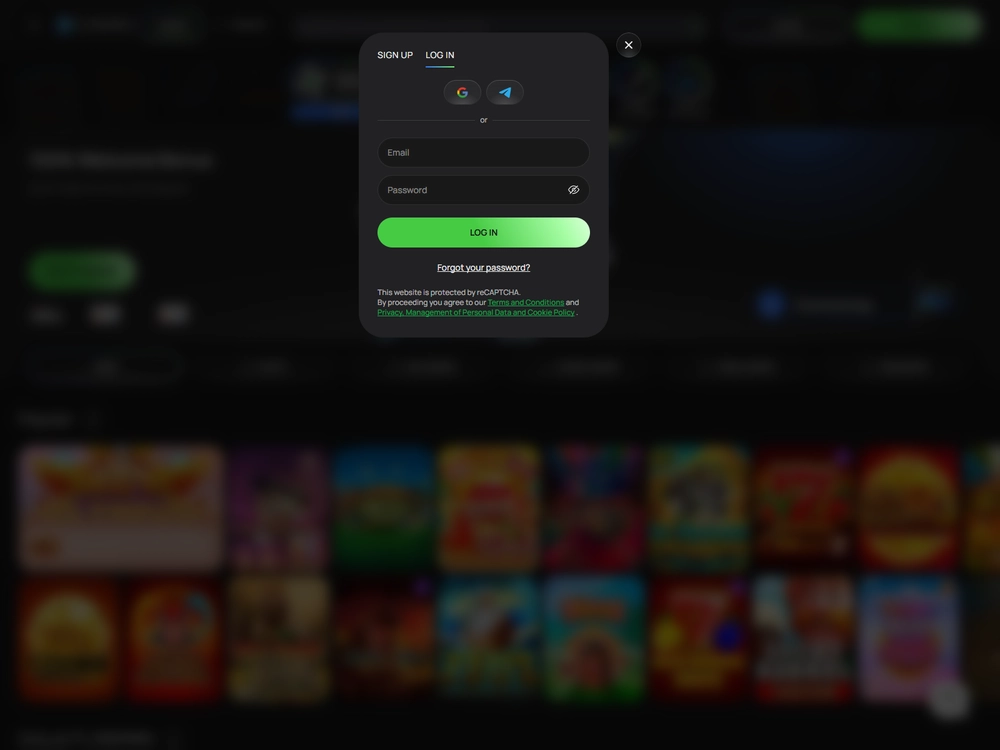
The Polish sign-in route uses your registered email and password. When I first signed in on a Samsung Galaxy S26+ running Android 16 with One UI 8.5, I opened the operator’s site over HTTPS and saw reCAPTCHA on the form. The same screen offered separate Google and Telegram sign-in options.
Where to start on the FLAGMAN Casino official website
On the FLAGMAN Casino official website, look for Log in in the upper-right corner. Use the operator address you already recognise and check it in the browser bar before you enter your details. If you have an unfamiliar link or need help finding the sign-in form, see the guide to FLAGMAN Casino support.
Here’s how to sign in to FLAGMAN Casino with the email address you used to register.
- Open the operator’s site and select Log in.
- Enter the email address you used to register and your current password.
- Complete reCAPTCHA when it appears. If you’ve enabled two-factor authentication, enter the code from Google Authenticator in the operator’s form when prompted.
- Submit the form. If you can’t recall the password, open Forgot your password? from the same screen.
On a phone, use the browser or your usual mobile access route. Unlocking the phone with a fingerprint or Face ID opens the device. Follow the operator’s sign-in prompts for access to the account itself.
How to Recover Access
Start in Forgot your password? if you have access to the email or phone number you registered. If that contact is out of reach, contact the operator’s support team to start an identity check. This is the point at which the two recovery routes differ.
Reset a forgotten password
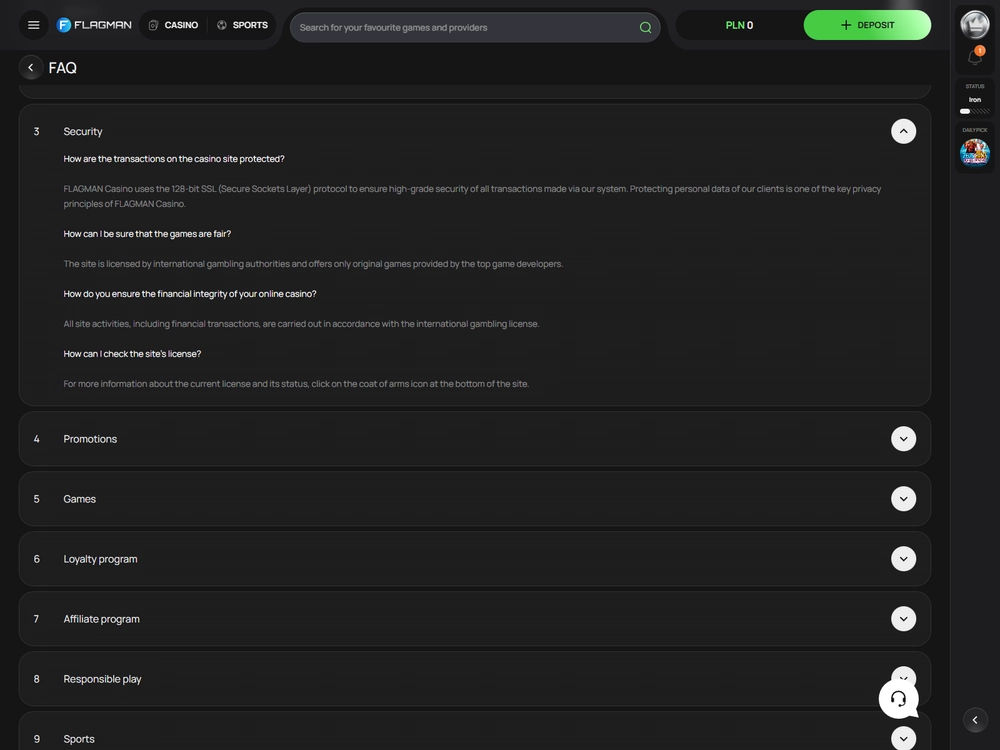
Request the reset from the operator’s sign-in form. The FAQ allows either the email address or phone number given during registration. In my Polish recovery test, the reset instructions arrived at the email address attached to the account.
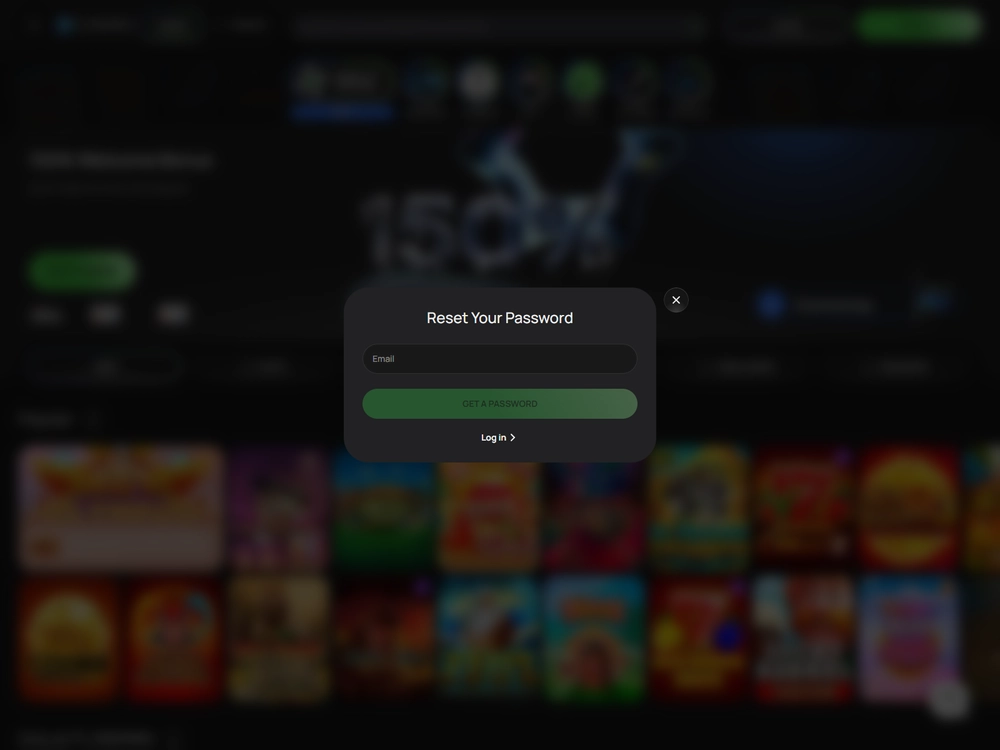
- Select Log in, then Forgot your password?.
- Enter the email address or phone number you provided when you registered. Check the spelling or digits before sending.
- Select Get a password. Check the registered inbox or phone for the reset message.
- Follow the instructions in the message and check its expiry. Return to Log in with your new password after the reset.
The operator’s FAQ gives a usual delivery time of a few seconds, with possible delays from the email or mobile provider. Check the inbox and spam folder before requesting help. In my recovery test, the email link was valid for 48 minutes from sending. Use the deadline in your own message, including any separate time limit stated for a confirmation code.
If the message still hasn’t arrived after checking the address and spam folder, give support the registered contact and describe where the reset stopped. A request through Get a password and delivery of the resulting message are separate points to check. Mention whether you were able to submit the form and whether you can still read the registered inbox or receive messages on the number.
Change the password when you can still sign in
Use Security while you have an active session and know your current password. This route asks you to prove that you know the existing password before you replace it.
- Open your account and select Security.
- Enter the current password, then the new password.
- Enter the new password again for confirmation and submit it.
Recover access after losing an email address or phone number
Contact the operator’s support team to start identification if you’ve lost access to your registered contact. The operator’s FAQ directs you to support if you mistyped your email at registration and to the on-site chat if your phone number changed. If you’re still signed in on another device, check Personal Data to see which contact the account holds.
Use Live Chat / Online Assistance if you can reach it. You can also email [email protected] or start a conversation with the operator’s Telegram support bot. State which contact you can still use and whether you need to correct or replace the details on the account. Keep passwords and verification codes private. The operator allows one account, so work with support to restore access to the one you already have. For a first account, see the separate registration guide.
Choose the next step by symptom
When the FLAGMAN Casino login stalls, check the message on screen or see whether another device is still signed in. A paused form, a missing email and a suspended account each call for a different action.
| What happens | What to do | What determines the next step |
|---|---|---|
| The form pauses after repeated incorrect entries | Wait for the pause to end, then try again or request a reset | Eight incorrect sign-in attempts caused a 12-minute pause in the tested security profile. Follow the prompts on your own form |
| The reset message hasn’t arrived | Check the address or number you entered and look in spam if you used email | Contact support if the request still fails or you can no longer use that contact |
| The reset link has expired | Return to Forgot your password? to start a new request | Follow the expiry stated in the new message |
| The account signs you out while you’re using it | Check Session Limits after regaining access | Reaching a session limit you set triggers automatic sign-out |
| Another session looks unfamiliar | Open User Sessions, end the selected session and contact the operator promptly | Use the browser, operating system, region and status to distinguish your devices |
| A game won’t load | Update Chrome or clear the site’s cache and cookies, then sign in again | The operator’s troubleshooting FAQ gives this browser route for games that fail to load |
Use Two-Factor Authentication and Check Other Sessions
Set up Google Authenticator in Security if you want a second sign-in check. Use User Sessions to see and manage signed-in devices. Keeping track of these separately helps when you’re asked to confirm a sensitive action or when you still have the account open on another screen.
Turn on Google Authenticator
Open Security and start the two-factor authentication setup. On a computer, scan the displayed QR code with Google Authenticator. If you’re entering the details by hand, use the secret key shown during setup.
- Open Google Authenticator and add the account by scanning the QR code or entering the key.
- Enter the verification code generated by the app in the FLAGMAN Casino setup form.
- Confirm the setup in Security. Keep the QR code and secret key private, since they can be used to generate codes for the account.
In my repeat sign-in test, the ordinary return used a password. A sensitive account action can prompt you to authenticate again. The operator may also request SMS when that additional protection is enabled. Read each prompt for the requested check: a browser challenge, a code from Google Authenticator, or a text message sent to the registered phone.
End an individual session
Open User Sessions, identify the session you want to close and end it from the list. The account shows the current device alongside other sessions and displays the browser, operating system, region, IP address and session status. Compare the entries before selecting a device.
- Open your account menu and choose User Sessions.
- Identify the current session and find the other entry by its device details.
- End the selected session. If you suspect unauthorised access or another security breach, report it to the operator immediately. Provide proof of unauthorised access if the operator requests it.
With Multi-Session Access on and my browser still authorised, I reopened the desktop tab and was still signed in. Signing out there returned the desktop to the login form. My mobile session stayed active until I ended it separately in User Sessions. Check the list if you used a shared computer or want to close access from a phone you no longer have.
Check that the same account is open on both devices
When you switch devices, open History on each and check the last activity and currency for the account you expect to see. Refresh the account view before comparing records. Personal Data shows the account details, and the balance switcher can show different balances within that account.
I checked one PLN account with Multi-Session Access enabled in desktop Chrome on Windows 11 and in Android APK 1.1. After refreshing both views, each showed a balance of 16.25 PLN and the same Flagman Fruits history entry, with a 1.50 PLN stake and a 1.20 PLN payout. Matching both the balance and the recorded activity identified the same account across the two routes.
In Settings, Autologin allows quick access from email links if you enable it. When you use Log in directly, keep using the credentials tied to the account. If a device or session is unfamiliar, use the session controls and the support route before taking any other action in the account.
Get Help With a Blocked Account
Contact support if FLAGMAN Casino shows an account restriction or asks for a check you can’t complete. The operator’s terms require users to be 18 or older, or meet a higher applicable age. The operator may suspend access if you fail to provide proof of age or it suspects you are below the required age.
If you fail to provide requested identification documents, the operator can suspend the account until you submit them or close it. Failing to update changed account details promptly can also lead to restrictions or account closure.
Check the applicable local rules and the operator’s territorial terms before using the service from Poland. The licence listed below is issued in Curaçao. The licence and safety guide explains the scope of the operator’s terms and Curaçao licence.
Sign in or reset your password. For a pending access check or a contact you can no longer use, follow the account support route.
FAQ
Can I use my phone number for password recovery?
Use the contact you gave when you registered. For a Polish account created with email, start with that address. The operator’s reset form also accepts a phone number when it’s the contact used at sign-up.
How long should I wait for the reset message?
The operator says delivery usually takes a few seconds, with delays possible depending on your email or mobile provider. Check your registered contact and your spam folder if you used email. Once it arrives, use the expiry in the message to work out how long you have to reset the password.
Why did FLAGMAN Casino show me a new check after I signed in?
A sensitive action can trigger another authentication prompt. Follow the check shown on screen. Use your Google Authenticator app for its code. Use the SMS code when that extra check is enabled and the operator requests it.
Will signing out on my computer also sign me out on my phone?
With Multi-Session Access enabled in my test, desktop sign-out ended the desktop session only. The phone stayed signed in. To close it from the account, go to User Sessions, identify the phone session and end that entry.
What does the operator’s FAQ say about mirrors?
It mentions mirrors in its answer about games that won’t load. If a game won’t load, try updating Chrome or clearing the cache and cookies, then sign in again. Use the operator’s support channels for a restriction on your account.