
FLAGMAN Casino support channels and how to file complaints
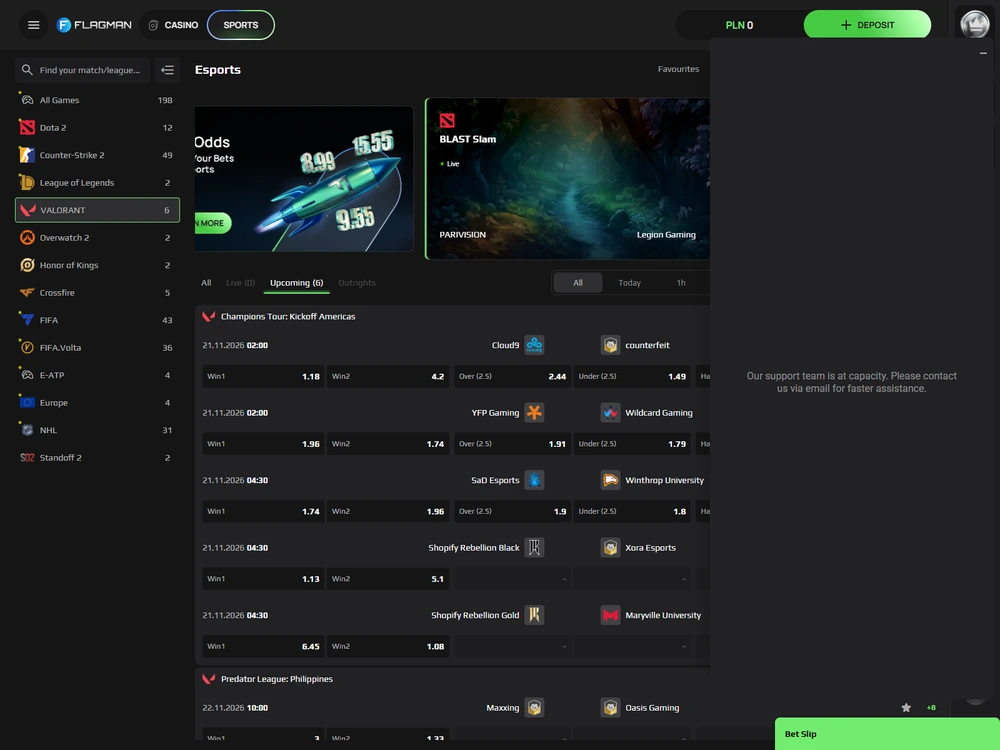
Start with FLAGMAN Casino support in Live Chat for an account or transaction issue. Email and Telegram let you make contact before signing in. In my Polish sports bonus case, I received a substantive reply after eight minutes and the balance was corrected after 36 minutes. Formal complaints go to the Customer Success Team.
By Rafał Nowakowski · Published


| Contact detail | What to expect |
|---|---|
| Main channels | Live Chat / Online Assistance, [email protected] and the English-language Telegram support bot |
| Help before signing in | Email or Telegram can start the conversation. Support establishes which account is involved before checking a specific operation. |
| Hours | The operator says its support service is available 24/7. |
| Live chat languages | Casino Guru lists English, Portuguese, Russian, German, French, Uzbek and Polish for round-the-clock chat. |
| Details to have ready | Account email, operation or bet slip ID, time and time zone, amount and currency, and the status displayed. |
| Moving from the bot to a person | In my sports bonus case, the Telegram conversation moved to Live Chat for the account check. |
| First substantive answer | I received a Telegram reply about the bonus eight minutes after my first message. |
| Resolution time | The bonus balance changed 36 minutes after I first got in touch. |
| Where to send different requests | Use chat for an account check, email for a written complaint and [email protected] for a personal data request to the operator. |
| Complaint escalation | The Customer Success Team handles the complaint and forwards unresolved cases to the casino administration. |
Pros
- Email and Telegram are available when you cannot sign in.
- The operator advertises 24/7 support, and Casino Guru lists Polish among the chat languages.
- The complaints procedure includes status updates and referral to the casino administration.
Cons
- A check on a specific transaction or bet requires account identification.
- My bonus enquiry moved from Telegram to Live Chat before the issue was resolved.
- The operator’s terms give its server record priority over a conflicting result or balance on your screen.
Games at FLAGMAN Casino














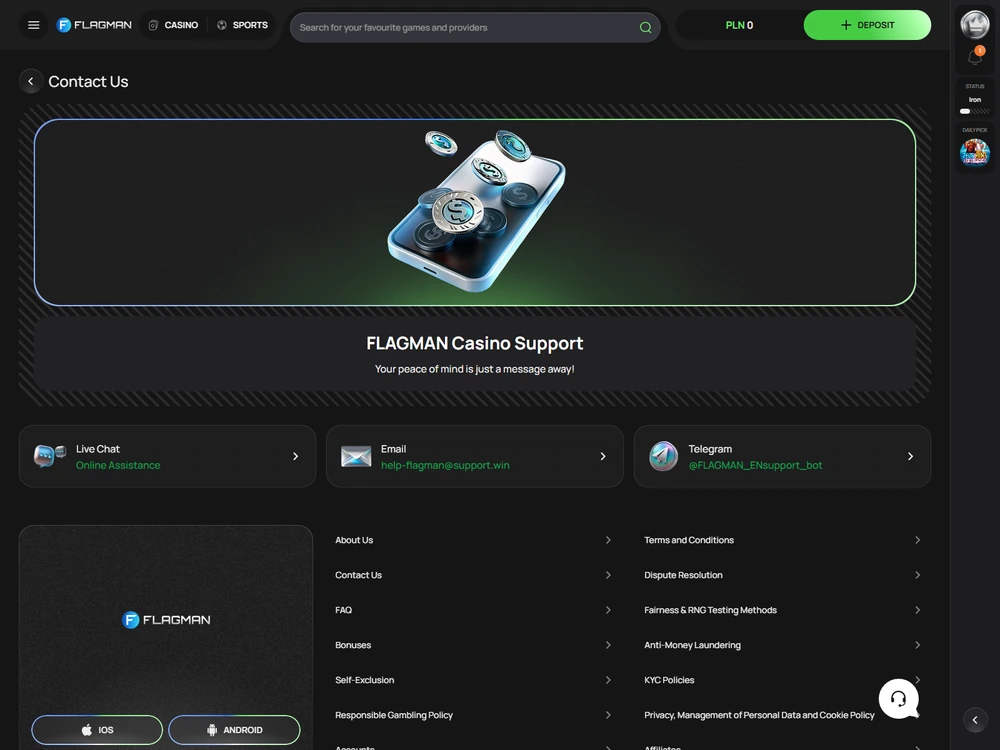
Where to reach FLAGMAN Casino support
Open Contact Us and select Live Chat / Online Assistance for a deposit that is missing from the account, a question about game history or a restriction on the account. Use the website’s chat widget if it is already visible in your browser. If the mobile WebView will not open, you can still reach FLAGMAN Casino support by email or through @FLAGMAN_ENsupport_bot.
For a written record, send the details to [email protected]. The sports FAQ gives [email protected] as a sports contact. Use general support to open a formal complaint about how the operator handled a bet or bonus. For access to or correction of personal data held by the operator, use [email protected].
If you prefer to write in Polish, the Casino Guru listing identifies Polish as a live chat language. The spelling of the account email and the labels shown in your account are useful in either language. Quote the status as displayed so the agent can identify the relevant record.
What to send about a payment, bet or account problem
Give support the account email, the transaction or bet reference if available, and the status shown. A useful first message identifies one operation or incident, says what you expected to happen and explains what the account shows. Keep the full receipt or transcript for your own records. Send only the part that helps the agent investigate.
Find the right record in History
Open History and select the section that matches the issue. Sports bets, casino bets, bonuses and transactions have separate entries. If you are reporting a bonus that should have appeared after a deposit, check the bonus history and the deposit record. The two entries establish which payment you mean and whether the bonus was credited.
- Identify the account. Give the email registered to the account involved. For a transaction, supply its reference. For a sports settlement or a game result, give the bet slip or round ID, if available. If you cannot open the account, use the identifiers in any receipt or confirmation you kept.
- Record when it happened. Note the date and clock time for the event and the time zone shown. If you recorded the event in local time in Poland, label it Warsaw time. Keep any timestamp from the account or payment confirmation in its original zone if it differs.
- State what you saw. Give the exact displayed status, the amount and its currency, for example PLN if that is what the entry shows. Tell the agent where you saw the discrepancy. If the payment receipt shows a completed transfer and the account entry is still pending, state both as separate observations.
- Name the action you want. Ask for the status to be explained, the entry to be checked or the amount to be corrected, as appropriate. Include any earlier reply about the same event so that the agent can see what has already been investigated.
Match the evidence to the issue
For a withdrawal, keep the confirmation of the request and its status in the account. If you are disputing a sports settlement, preserve the slip, the market and the relevant settlement or cancellation entry. For a game round, keep the ID and the part of the history that shows the result. These details give support a record it can locate even after the original screen has changed.
For a missing sports bonus, keep the selected offer, the qualifying operation and the bonus balance or history entry together. If two offers appear in the account, say which you selected and which one you see applied. That gives the agent a specific point to check alongside the amount and the applicable offer conditions.
Crop screenshots to the relevant record and cover payment details and unrelated personal information. Keep passwords, one-time codes, PINs and card security codes out of the conversation. If the operator asks for identity documents, follow the verification route for that request and keep the supporting files out of the initial chat or Telegram message.
How long a sports bonus correction took in Poland
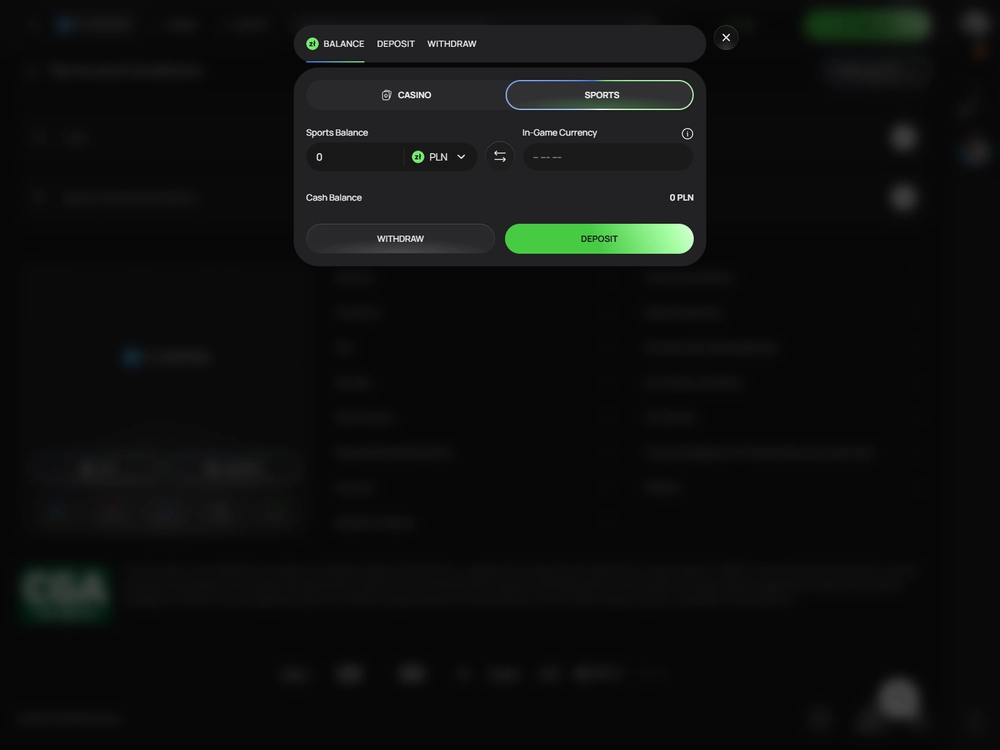
My sports bonus balance was corrected 36 minutes after I sent my first message in Telegram. My enquiry was in English and was resolved in Live Chat. The sports offer applied 25% to my first deposit of 200 PLN, so I expected a 50 PLN free bet. A delay in registering the offer selection left the bonus balance at 0 PLN. The agent checked the promotion and corrected the balance manually.
| From first message | What happened |
|---|---|
| Start | I sent the Telegram message and received an automated acknowledgement in the same minute. |
| 8 minutes | The first substantive reply arrived in Telegram. |
| 12 minutes | A Live Chat agent joined to check the case. |
| 36 minutes | The bonus balance changed from 0 PLN to 50 PLN. |
The correction restored the free-bet credit to the bonus balance. Any cash payout would depend on how an eligible bet settled. Kasynogracz reports a separate bonus enquiry that took about one minute to receive a substantive answer in chat. Each case measures a different contact. Use these timings to distinguish acknowledgement, investigation and resolution.
How to file and follow a formal complaint
Raise a dispute with support as soon as you identify it and use the same correspondence to track the complaint. The operator’s Dispute Resolution terms set out how to raise a complaint with FLAGMAN Casino. The Customer Success Team handles the complaint and provides status updates while it is being considered.
Submit the complaint and keep the thread
Use Live Chat / Online Assistance or the support email to open the case. Email gives you a written record you can refer back to if another agent takes over. If you started in chat, keep the exchange with the details you sent and the operator’s response.
- Identify the dispute. Tell FLAGMAN Casino support that you are filing a complaint. State which payment, bonus, round, bet or restriction is in dispute and give the reference where there is one.
- Describe the outcome you are seeking. Attach the relevant part of the record and say what you want the Customer Success Team to check. Include any earlier message in which an agent said the issue had been resolved.
- Check the status in the same correspondence. Look for the operator’s update on the complaint. If the team needs another detail or you have a new record to add, reply in the same thread so the sequence and original request stay together.
- Check the outcome after the reply. Compare the operator’s answer with the corresponding entry in History, balance or account restriction. If the reply confirms a correction and the account still shows the earlier state, follow up with the exact entry and what it currently displays.
Ask for the server record in a technical dispute
Ask the agent to check the round or bet slip against the operator’s record. The terms give the server’s game result and account balance priority when they differ from what appears on your device. The same terms say losses caused by human or technical error are not recoverable. Capture the displayed result and give the date and time, round or slip ID and amount involved. This lets the agent compare the two records for the same event.
Escalate through the administration
The Customer Success Team forwards a complaint to the casino administration if it cannot resolve the matter immediately. Keep the operator’s response and any status notice. When you follow up, ask whether the case is still with the team or has been passed to the administration, and include the previous correspondence so the recipient can identify it.
The operator’s terms specify Curaçao law and give the courts of Curaçao exclusive jurisdiction over disputes arising from the agreement. If the dispute remains unresolved with the administration, the terms identify independent institutions, official gambling authorities and licensees as possible next contacts. The competent authority or alternative dispute resolution route depends on the issue and jurisdiction. For a question about the operator’s licence conditions, use the Curaçao Gaming Authority portal and keep the operator’s final response with the rest of the case record.
Requesting self-exclusion or following up on a restriction
Contact support to request temporary or permanent self-exclusion. Keep the confirmation and check that the account reflects the restriction. If it does not, give the Customer Success Team the original request, the reply and the account state. The responsible gambling page explains limits and self-exclusion. The operator also lists BetBlocker and Gamblers Anonymous UK as help resources.
Contact operator support through Live Chat / Online Assistance or use the support email to keep a written record. Questions about this publication go to the editorial contact.
FAQ
Can I start a FLAGMAN Casino complaint if I am locked out?
Yes. Email support from the address registered to the account if you can. Explain that you cannot sign in and include any existing payment or bet reference. Support will need to identify your account before it can examine the operation.
Where do I check that a sports bonus was restored?
Check the sports bonus balance and the matching bonus entry in History. If the amount described in the support reply still does not appear, reply to the same conversation with the current entry or balance and the original transaction reference.
Can I ask support to close my account by email?
Yes. Send an account closure request to [email protected] and keep the confirmation. The operator’s terms hold you responsible for account activity until it closes the account. If your aim is to restrict access to gambling, ask specifically for temporary or permanent self-exclusion.
Who handles a request for a copy of my personal data?
Email [email protected] and specify what you want the operator to provide or correct. For this request, the operator’s policy requires a passport copy to verify your identity.